Point the weekly HSE walk at what has moved since the last one.
Site Logistics Audit reads a weekly overhead capture against your site logistics plan and lists where laydown has crept past its boundary, an access route is blocked and an open edge has no protection in view.
- GSD
- UAV / under 10 cm
- Cadence
- Weekly
- Platform
- Drone / crewed aircraft
- Spectral
- RGB
What happens between two HSE walks
The weekly walk goes zone by zone with the site logistics plan in one hand and the checklist in the other. Laydown boundaries, haul roads, open edges: each gets a look, a tick or a finding in the site log. On a big or spread-out site that is a long walk, and by the time you reach the far end the near end has already changed.
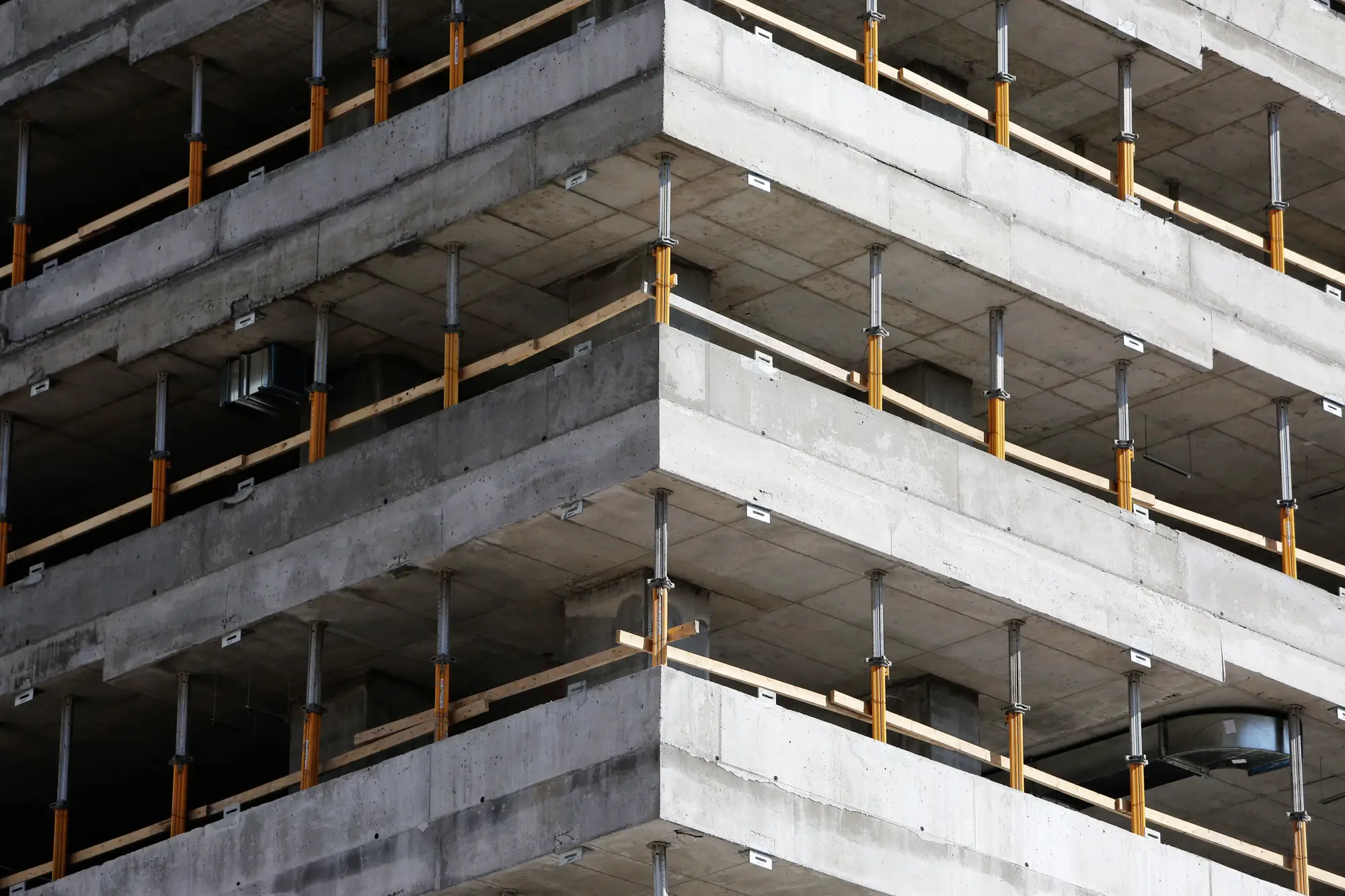
The plan on the wall shows the day it was drawn. Then a delivery lands where the next delivery was meant to go, a stack of formwork spreads over the line, a skip is parked in the haul road because the yard was full, and a slab edge stays open a day longer than the programme said. None of it shows up until somebody walks past it, and that is usually the walk.
The people who close findings out are the site manager and the logistics coordinator, and they want the list early enough in the week to act on it, not on the afternoon of the toolbox talk.
The audit does one thing to that week. A drone or aircraft pass over the site is read against your plan, and the walk starts with a list of the zones where something looks wrong, so you go and look at those first.
What arrives before the walk
One delivery per weekly pass. On a pilot it covers the site, or the phase of it, that you agree at the start.
- D-01Flag per finding
Laydown encroachment flags
Each place where stored material, plant or waste sits outside the laydown boundary your plan draws, marked against its zone with a finding ID.
- D-02Flag per finding
Blocked access-route findings
Haul roads, pedestrian routes and emergency ways from the plan that are obstructed or narrowed in that week's capture, with where along the route.
- D-03Flag per finding
Missing edge-protection flags
Open slab edges, roof edges and excavation edges where no continuous run of protection is visible from above.
- D-04CSV by zone
Audit findings list
One row per finding, grouped by zone: finding ID, zone, type and location. A plain CSV, ready for the weekly walk.
How a pilot runs
Plan and zones in
Send the site logistics plan and the zone boundaries: laydown, access routes, exclusion zones and any edges to watch. We agree with you which zones are in the pilot.
Weekly capture
A drone or crewed-aircraft flight over the site once a week, at under 10 cm ground sample distance, in colour.
Checked against the plan
Laydown, access routes and edge protection are read against your zones. Where the capture can't show an answer, the finding says so.
List for the walk
The findings list lands ahead of your weekly walk. Your team walks the flagged zones first, confirms or clears each one on the ground, and closes it out in the site log as it does now.
Where it fits in your workflow
Ahead of the walk. Use it as the first pass. The list tells the HSE advisor which zones to visit first, and the walk becomes a check of what has been flagged plus the things overhead imagery can't see. The rest of the checklist (scaffolds, permits, housekeeping indoors, PPE) stays on foot.
After a phase change. Revised the site logistics plan for the next phase? Send the new zones and the next capture is read against them, so a laydown area you moved on purpose stops being flagged.
Limits
Every limit that qualifies a claim above sits beside it in the margin. Here they all are in one place.
- L1 A screening pass
- A flag is a condition worth checking against your plan. It is not a violation until someone stands there and confirms it. This is not a certified safety audit and it does not certify compliance.
- L2 Layout only
- It reads laydown, routes and edges. It does not see PPE, worker behaviour or who is on site, and it does not monitor people.
- L3 Weekly snapshot
- One capture a week. A stack that goes up and comes down between two passes never appears. Fast-changing zones will drift between flights, and the walk is what catches that.
- L4 Resolution floor
- Under 10 cm a pixel is wider than a guardrail rail or a post. The audit can say whether a continuous run of protection is visible along an edge. It cannot read rail height, a missing toe board, a gate left open or a loose fixing.
- L5 What overhead can't see
- Edges on a lower deck sit under the slab above and stay hidden. Areas in deep shadow, under sheeting or beneath a hoarding are listed as not visible, not guessed at.
- L6 Weather and flight window
- Wind, rain, low cloud and airspace restrictions can move or cancel a flight. A missed week means a missed list, not a late one.
Who it's for
For
- HSE managers and advisors who run a weekly site walk against a site logistics plan with defined zones
- Sites large or spread out enough that one walk does not see everything before it changes
- Principal contractor teams who want the walk pointed at the zones most likely to have moved
Not for
- Sites with no site logistics plan or defined zones to read against
- Anyone after PPE, worker-behaviour or personnel monitoring
- A certified safety audit, a compliance certificate or a replacement for the HSE walk
- Interior fit-out floors, where overhead imagery sees a roof
Questions before a pilot
Does this replace the HSE walk?
No. It points the walk at what has been flagged. Every finding still needs someone on the ground to confirm it and close it out.
Does a flag mean there is a violation?
It means a condition worth checking against your plan. Confirming it is a field call, and yours.
Can it read PPE or how people work?
No. It reads layout: laydown, access routes and edge protection. It does not see or track personnel.
What if the site changes every day?
A weekly pass is a snapshot. Anything that appears and clears between two flights is missed, so fast-moving zones still need eyes on the ground between passes.
How do we check it against our own walk?
Run a pilot on a zone your team will walk anyway. Keep your own findings to yourselves until our list arrives, then compare the two, finding by finding, and decide whether the list is good enough to steer the walk.
What do you need from us?
The site logistics plan with its zones, and access to fly the site. If the plan is only on paper, tell us and we will agree the zones with you before the first pass.
Who owns the imagery and the findings?
Ownership and licence terms for the imagery and the findings list are written into the pilot agreement before anything is flown. If your legal team needs to read them, ask early.
How is a pilot bought and priced?
The price depends on the size of the site, the number of zones and how many weekly passes you want. We scope it for the site you pick. Tell us how your firm buys and we will fit the pilot to that.
Start a pilot on your site.
Tell us the site, the phase and when the next logistics plan revision lands. We will say whether a weekly pass can fit it.
Start a pilot